# Installation

Welcome to the Snap Tales installation process. Snap Tales consists of two parts. The first is the free version, which is completely free and you can download and install directly from WordPress.org. The second is the Snap Tales Pro Extend plugin. This plugin is sold with annual licensing and brings features such as user stories, product stories, etc. to the free version.

### Requirements <a href="#requirements" id="requirements"></a>

* PHP 8.1 & 8.2
* WordPress 5.0+
* WooCommerce 4.4+ (Optional: if you want to use with WooCommerce)
* IonCube Loader 13 ([What is IonCube Loader 13?](https://www.ioncube.com/loaders.php)) (**Just for the premium version**)

### 1 - Upload zip

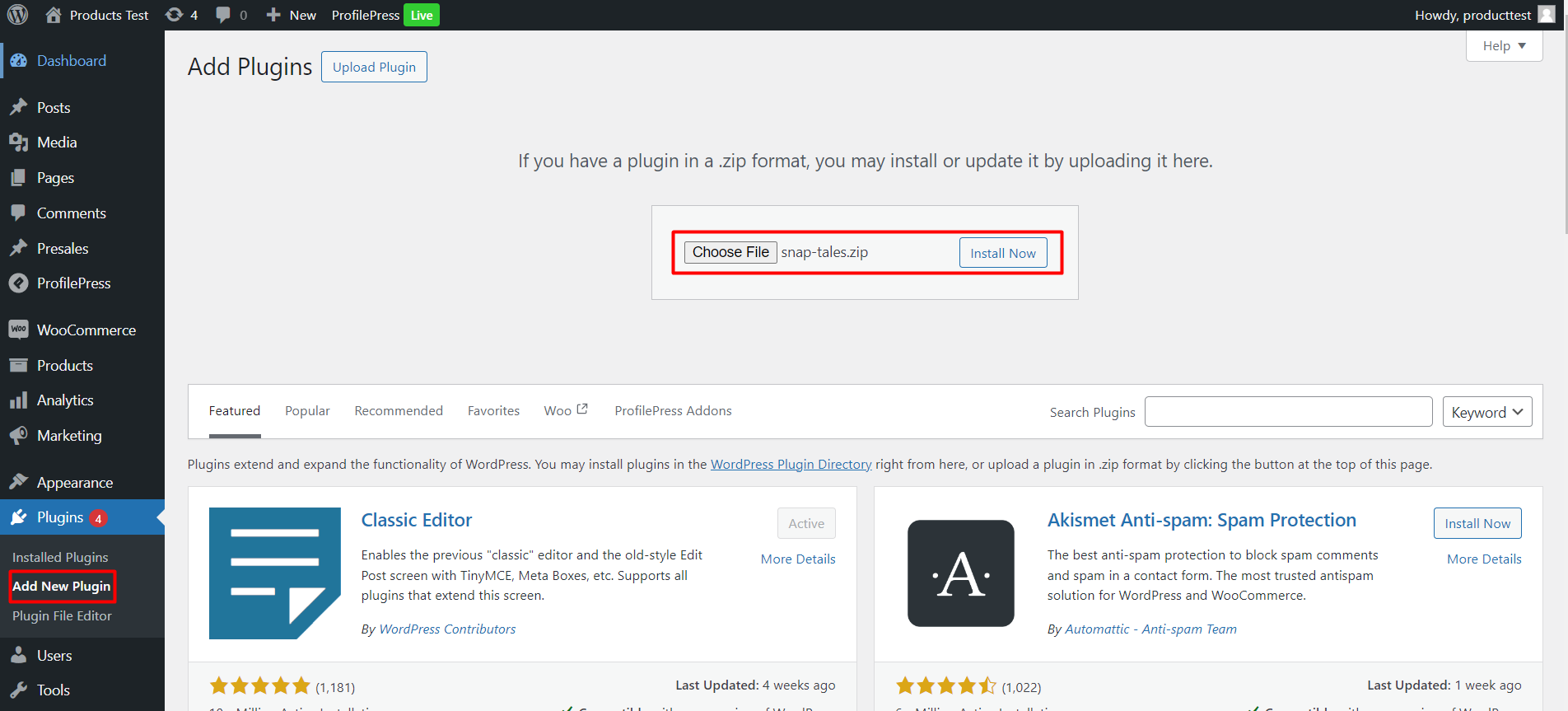
You can install the free version directly from WordPress.org. For the paid version, upload the zip file you downloaded from the “Add New Plugin” page as you can see in the images below.

<figure><img src="https://1059443102-files.gitbook.io/~/files/v0/b/gitbook-x-prod.appspot.com/o/spaces%2F46NALGeIsNYDfKudU1Gv%2Fuploads%2FkNZGU6BlIYrs7R4Stapa%2Fimage.png?alt=media&#x26;token=0dcbe263-d926-4640-b39a-a191047a40ca" alt=""><figcaption></figcaption></figure>

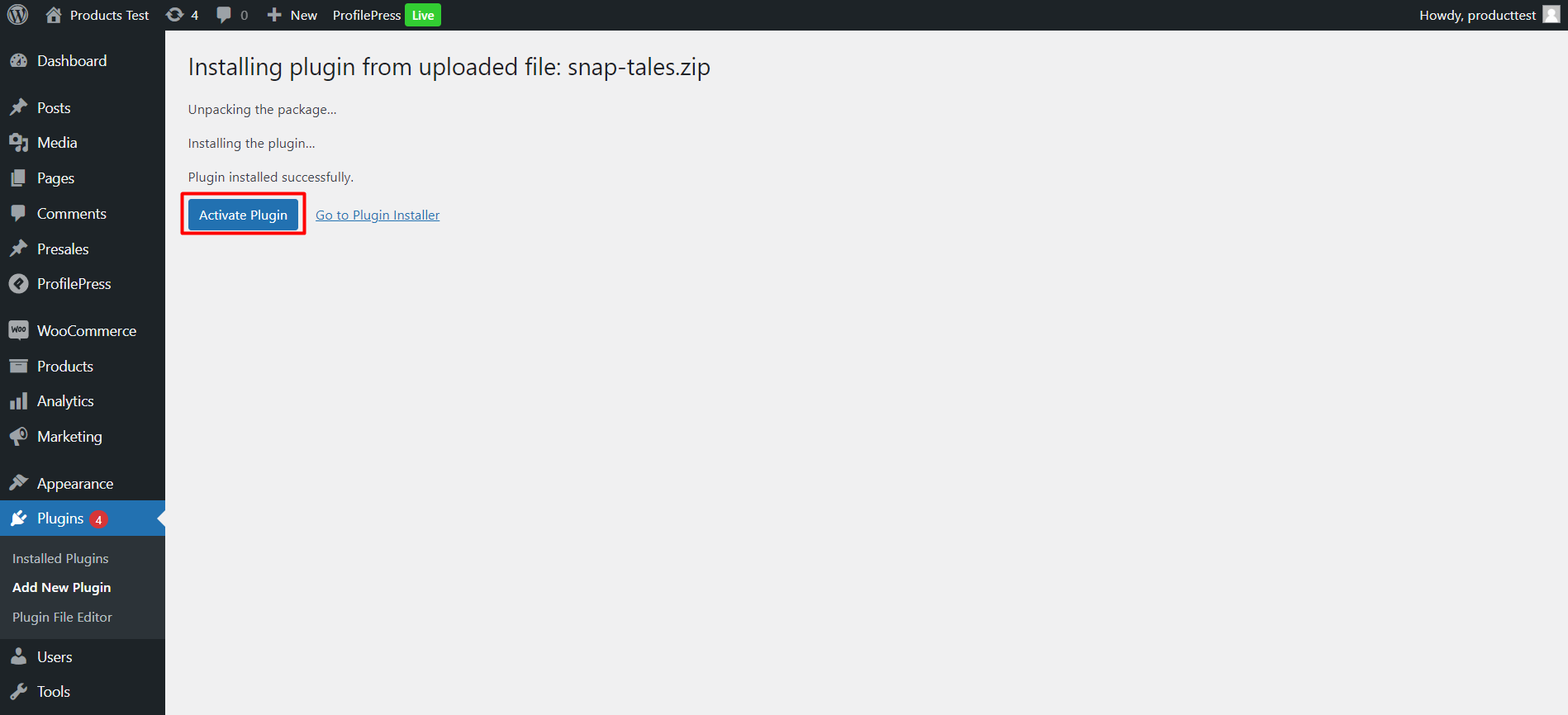
### 2 - Activate

<figure><img src="https://1059443102-files.gitbook.io/~/files/v0/b/gitbook-x-prod.appspot.com/o/spaces%2F46NALGeIsNYDfKudU1Gv%2Fuploads%2Ft2sgBEwnpSTKIssYJ336%2Fimage.png?alt=media&#x26;token=f3f6dea4-c07c-4976-9e68-d9a17d0acff4" alt=""><figcaption></figcaption></figure>

### 3 - License process (**Just for premium version**)

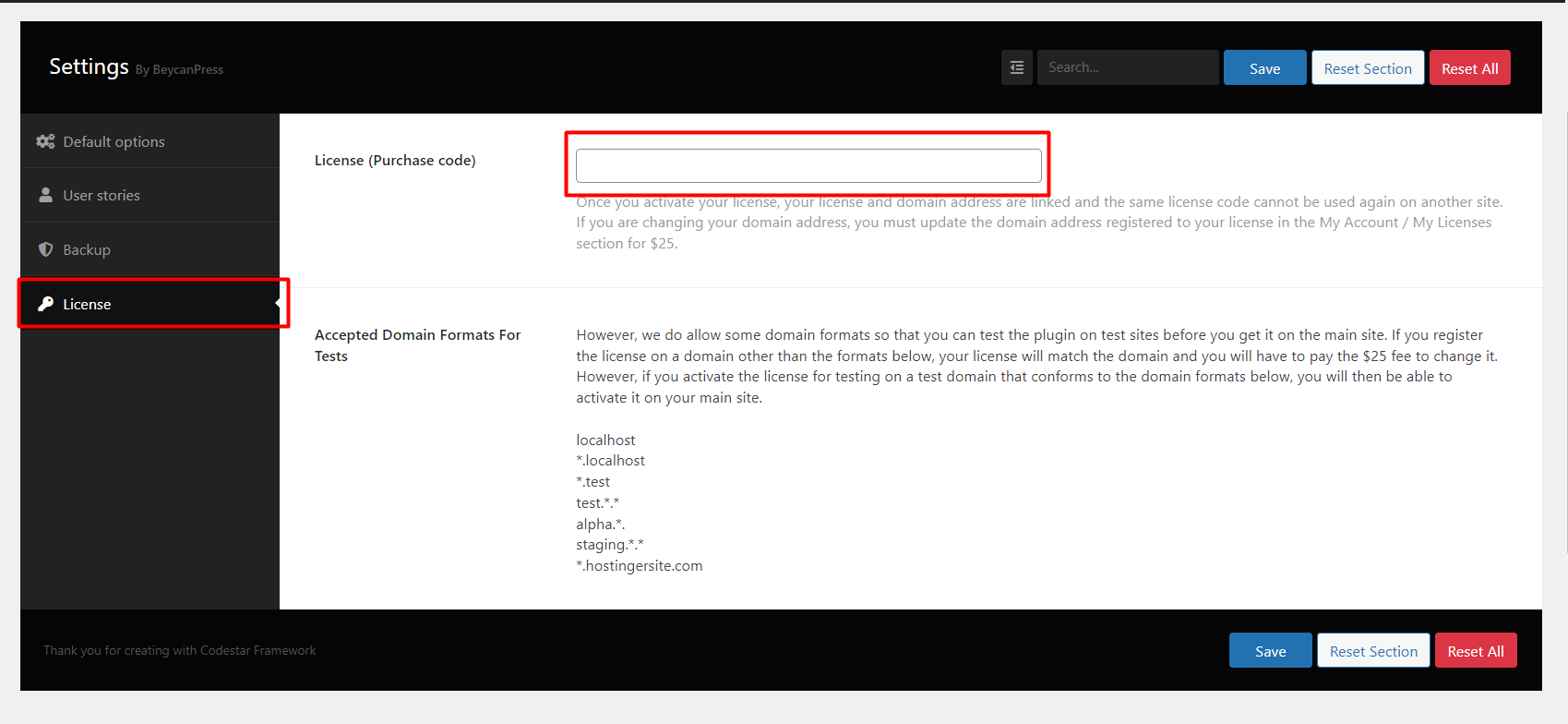
Go to Snap Tales -> Settings and go to the License tab menu, then go to “<https://beycanpress.com/my-account/my-licenses/”> and enter your Snap Tales license key in the corresponding field.

Please read the relevant explanations in detail when starting your license.

<figure><img src="https://1059443102-files.gitbook.io/~/files/v0/b/gitbook-x-prod.appspot.com/o/spaces%2F46NALGeIsNYDfKudU1Gv%2Fuploads%2F9EUWA1acqOCJoxX2nJSI%2Fimage.png?alt=media&#x26;token=8eed19b2-7258-4e32-b534-3a18b1a5e11d" alt=""><figcaption></figcaption></figure>


---

# Agent Instructions: Querying This Documentation

If you need additional information that is not directly available in this page, you can query the documentation dynamically by asking a question.

Perform an HTTP GET request on the current page URL with the `ask` query parameter:

```
GET https://beycanpress.gitbook.io/snap-tales-docs/installation.md?ask=<question>
```

The question should be specific, self-contained, and written in natural language.
The response will contain a direct answer to the question and relevant excerpts and sources from the documentation.

Use this mechanism when the answer is not explicitly present in the current page, you need clarification or additional context, or you want to retrieve related documentation sections.